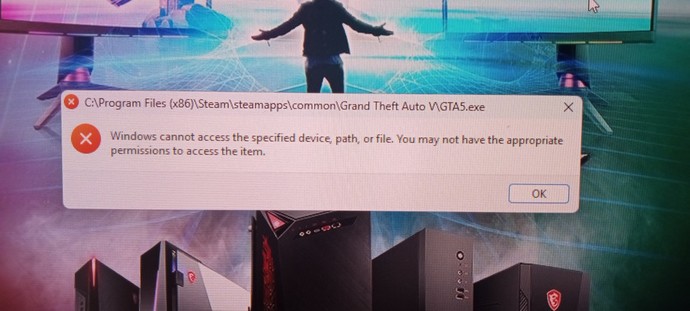
It pops up Everytime I try running my Grand theft auto, I've basically tried everything, I bought the damn thing so I should have permissions to the whole thing but I tried running anything associated with this stupid game as an administrator, it's just not working and I can't fix it, I'm about to throw my computer out the window because it's messing with my patience.
Updates
1 y
I fixed the first issue but if anyone knows how to go around an anti cheating system to download mods, I've downloaded them before but since they decided to add a damn anti cheat, now I can't 🙂🔫
Okay I have to ask because there is a possibility that it could be relevant. Is it pirated or not? Regardless right click on the file check Properties then Security. Does the account have full control? If not, edit the permissions there. If yes, go to Properties again, on General tab the 1st one there is a Security down below on the bottom. Check if the unblock thing is clicked. By the way I assume that you have unistalled and re-installed it again right? Have you made sure that the path exists? Or the game is in the exact same location that you are trying to run it from? Did you install it on an internal or an external drive? Moreover check if the antivirus is blocking it. If so, add GTA5 as an exception.
Try these and let me know. Sometimes the solution to such things are the simplest ones but because we have the habit of thinking about the most complicated we start tinkering with other stuff that might be unrelated. I know because I have trouble getting some games to play as well.
I actually found a solution to this that someone used on Reddit that seems to have worked, I had to delete one of the files the game had and then copy a main file and name it like the file i deleted and the game started but now I ran into another issue, my game is blocking out all the mods I installed, they have an anti cheat file, is there any way around that?
I can't just remove the battleye anti cheat file from the game files, I wouldn't be able to run the game but I removed it and replaced it with a empty file named the same and it ran the game but my mods still don't work 😤
Oh then I understand why it has been giving you trouble it is due to the fact that you installed those mods and they integrated the anti-cheat thing. Also to make it clear, I am not against piracy, it would just need some different tricks around it that is why I asked. 😂
As for the mods thing I don't know because I rarely use mods. Do you download them from nexusmods?
The anti cheat is very recently added, I think it's what made my modded GTA go panic mode, I remember one time I tried getting a pirated version of a game but downloading it made me agree that I'm aware of a felony charge for illegal pirating and I was like, maybe a decade of my life isn't worth this game lmao
I downloaded the mods from a site specifically for mods meant for GTA, it's called gta5mods. com, mods have never given me trouble til now because they used this stupid anti cheat which clearly means they aren't done milking the damn game and GTA 6 will arrive during ww3 or something, now i know who i can count on when i want to digitally rob a bank or something tho 🌚
But you fixed the issue, that's it, so for the another issue, Step One: don't think about throwing it out the window Step two: yell again Step three: try to fix it 😌
You have a file permission problem. In windows you go to the directory (folder) in question and edit the permission on the security tab for different user groups. Most likely you were logged in as an administrator when you installed it and then logged into a different user group that doesn't have file permissions.
1
7 Reply
Asker
1 y
I did that and it didn't work but I found another solution, now I gotta get rid of the anti cheat so I can download mods
I'm not familiar with Grand Theft Auto V modding. I'm just telling you what your error message indicates. All files have read, write, and execute permissions a file owner. Permissions can be assigned to individual users or groups. But somehow you solved that without editing permissions? I'm guessing it's some sort of windows thing, I think there is a compatibility tab to turn on/turn off run as admin so maybe that is what you did. Whatever, it's fixed apparently.
The anti cheat was just added and it seems that this issue started with that, is it possible the anti cheat might have something to do with or mess with the permissions?
If the mod is a multiplayer mod, it probably has some sort of software dependency that is part of the anti-cheat software. It likely makes a function call to some library to retrieve information from the anti-cheat software to see if you are cheating or not.
try to open the settings and search "potentially unwanted app" or something lìke that and turn it off and you will find option say"Block apps " uncheck it and then try the game or restart and try the game
1
2 Reply
Asker
1 y
Tried that, it was a tutorial to fix it, it unfortunately didn't for my specific case
try to open the properties of the game file then security tab and then edit then select your user then uncheck the Deny box on all permeissions then hit apply and try the game
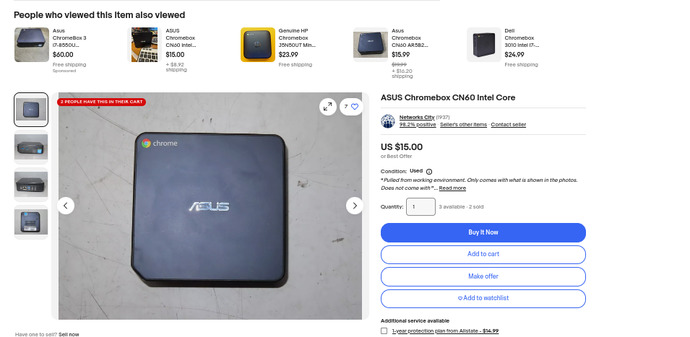
When it comes to gaming, Photoshop or other sophisticated software, you gotta use Windows. But for most of us, a Chromebook is much better. I gave one to a friend on this site.
Do you remember back in the day, when your Windows machine would say..."You've committed a fatal error! "
Holy sheep shit! You couldn't help but look out the window to see if the cops were outside. Sure, sometimes I forget to preheat the oven, but, dang! Fatal?
Do a bit of Googling and dump on a free version of Linux. You can still keep your Windows, but it's like having a second brain. Go with Ubuntu or any of their variants. Peppermint, Mint, Lubuntu, Xubuntu... etc.
Ubuntu comes from the same country as Elon. And he's a fairly smart guy. :)
I once did a 12 boot system just to see if I could do it. When my puter booted up, I had a menu of 12 different operating systems to choose from.
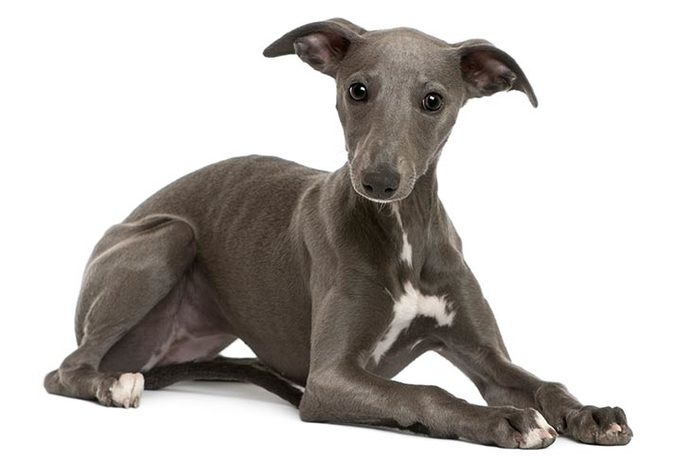
Puppy Linux is by far the fastest operating system on the planet. We're talking... greased lightning. Keep that one in mind. My brother and I bought a Whippet doggy. When we threw a Frisbee in the park, "Ace" didn't chase it, the Frisbee chased her. Ace ran to the end of the park, took a drink out of a puddle, took a poop, and then caught the Frisbee! LOL
Super sonic puppy, a leash is like jailtime to the doggo, you need a speedometer just to know where it's going or where it is, a bullet train would need to take a breather to catch up. Ha
GAG is not exactly the more appropriate place to ask for technical problems related to steam 😅
Use the power of internet !
1
7 Reply
Asker
1 y
I tried the power of the internet and it failed, it's why I'm asking here, you really think this place is my first option, other people's tutorials didn't work lol
The antivirus software may block the files. Windows has blocked the files. The file is corrupted, hidden or deleted by antivirus. The shortcut of the program is corrupted. Or you don’t have the permission to access the item since you are not the administrator.
A clean? It's a digital download, I don't know how I'm gonna clean it, I already did the integrity files vertification twice, I don't think they can get much cleaner but thanks for trying to help 🙂💯
Well, you never mentioned that, so I assumed it was a disc. Anyway, I don't know what the problem is, but I hope you can figure it out. Good luck. You’re welcome! 😊
 Girl's Behavior
  Guy's Behavior
  Flirting
  Dating
  Relationships
  Fashion & Beauty
  Health & Fitness
  Marriage & Weddings
  Shopping & Gifts
  Technology & Internet
  Break Up & Divorce
  Education & Career
  Entertainment & Arts
  Family & Friends
  Food & Beverage
  Hobbies & Leisure
  Other
Other  Religion & Spirituality
  Society & Politics
  Sports
  Travel
  Trending & News