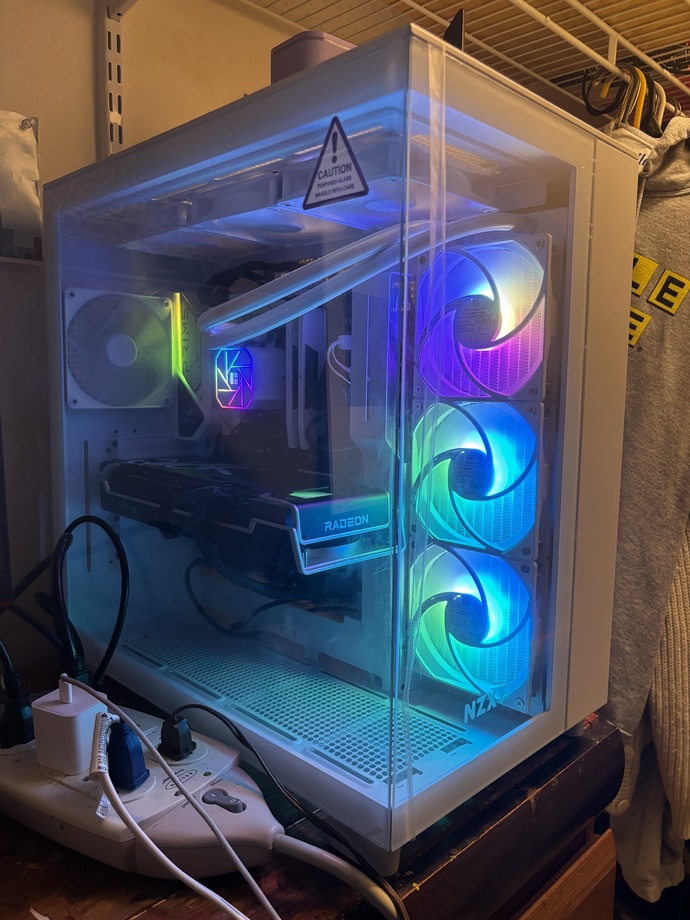
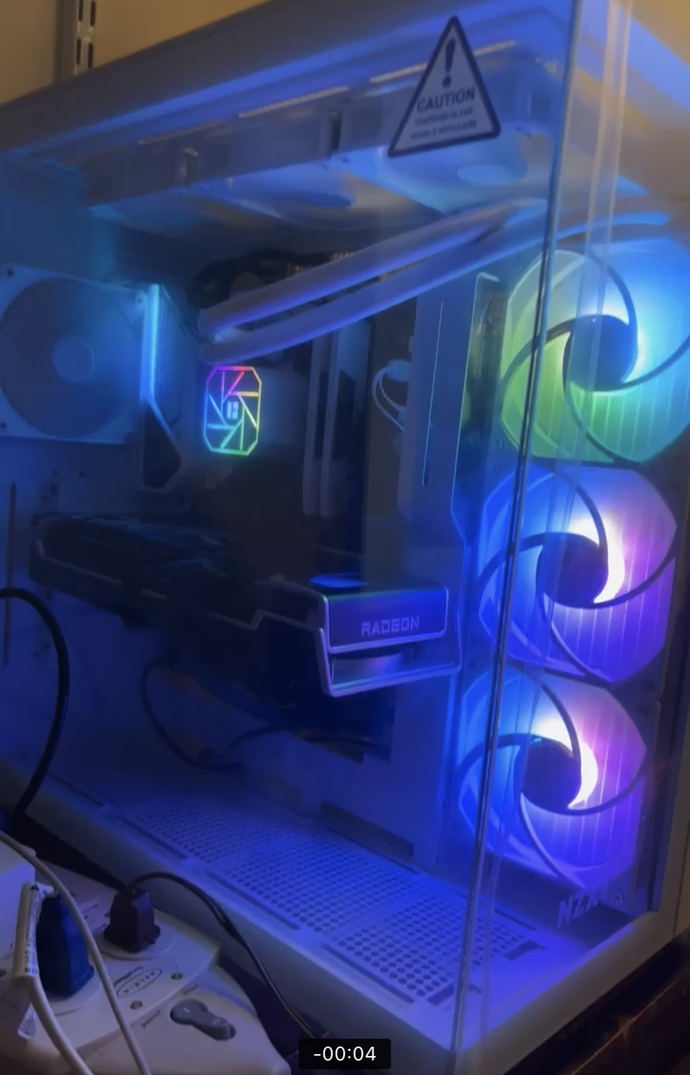
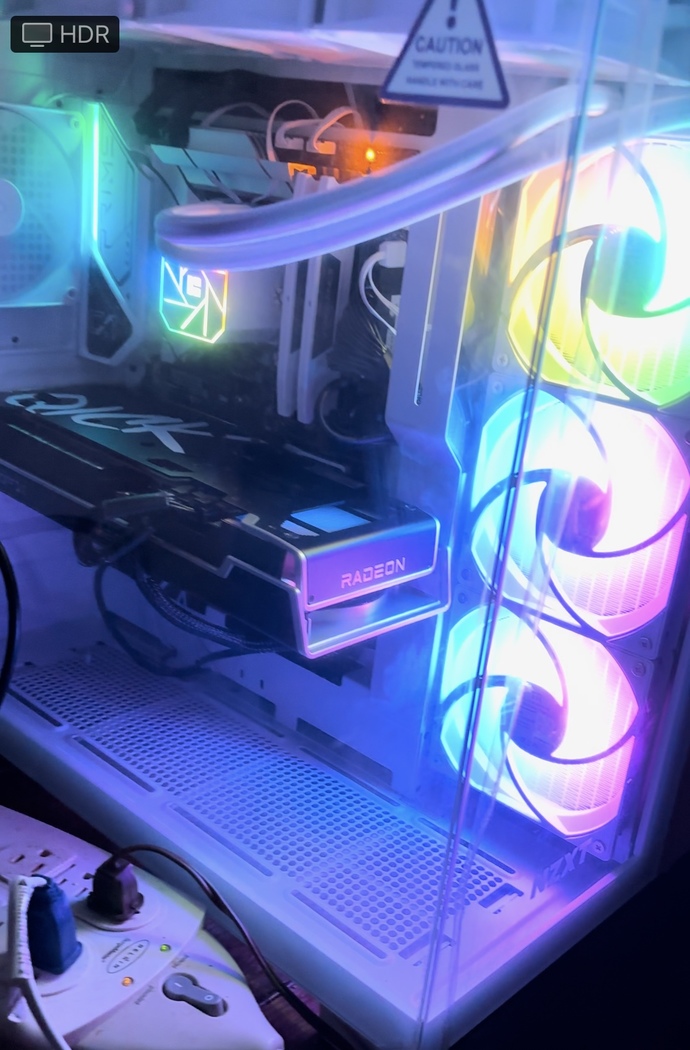


Only the bottom 2 CPU Coolers are out of sync with the top one

Girl's Behavior
Guy's Behavior
Flirting
Dating
Relationships
Fashion & Beauty
Health & Fitness
Marriage & Weddings
Shopping & Gifts
Technology & Internet
Break Up & Divorce
Education & Career
Entertainment & Arts
Family & Friends
Food & Beverage
Hobbies & Leisure
Other
Religion & Spirituality
Society & Politics
Sports
Travel
Trending & News 


Only the bottom 2 CPU Coolers are out of sync with the top one
We call those fans, and it's really the RGB light module on the fans that are at issue. Has it always been like this? It's possible that the top fan has been wired incorrectly. With RGB, there are 3 different LEDs (red, green, blue) and each has it's own positive power wire, with a common negative wire for all three. If some idiot building the fan switched the wires at the connector (or even soldering them onto the light assembly), then you'll never get the intended color unless you fix the wiring or get a replacement fan that's wired correctly.
Sorry for late reply, I completely forgot about this post lol.. I fixed it, it was a wiring issue. Thank you!
Why are the intake fans on the side? 🤔 thats a bad airflow design..
A CPU cooler is something that would go on top of the CPU (if a fan or heat sink or fan heatsink combo), the intake fans cool off the entire PC. In your build the CPU is "water" cooled (its not technically just water) via the white tubes coming off your CPU cover.
Reinstall your RGB software, and of that doesn't work, check the BIOS settings by using whatever keyboard shortcut your specific PC uses to enter the BIOS during startup.
You should see the fans listed.
I was advised to put the fan on the side, especially since my room gets hot sometimes. And it was a wiring issue, I fixed it. Thank you!
You're welcome.
Opinion
2Opinion
It looks to be due to the application used, such as Corsair types ones. That should allow you to set all the same
It was a wiring issue, which I fixed. Thank you!
It is probably a BIOS setting
It was a wiring issue, which I fixed. Thank you!
You can also add your opinion below!